

AWS Setup
Install the runner on your AWS account by launching our CloudFormation stack — it takes about 5 minutes.
For the high-level picture of how the runner fits into deployment.io's architecture, see Architecture.
What gets installed in your AWS account
The CloudFormation stack creates the resources below. All resources are tagged created by: deployment.io so you can audit and clean up after.
Compute
- ECS cluster (
ecs-{orgID}) with a Fargate capacity provider plus an EC2 capacity provider. - AWS controller — a small ECS task on Fargate (0.25 vCPU, 0.5 GB) that runs continuously. Polls deployment.io for jobs and dispatches them.
- Runner — an ECS task on EC2 m6a.large (6 GB) that scales from zero. Only runs when there's a deployment or Task to execute. Mounts the host's Docker socket so it can build images.
- Auto Scaling Group backing the EC2 capacity (
min: 0,max: 2). - EC2 Launch Template that defines the EC2 instance for the ASG.
IAM (four roles)
- Lambda role — used only during stack creation by the bootstrap Lambda. Can create the ECS service-linked role and the task-execution role.
- ECS Instance role — attached managed policy
AmazonEC2ContainerServiceforEC2Role, lets the EC2 host register with ECS. - Task Execution role (
eTERole-…) — created by the bootstrap Lambda. HasAmazonECSTaskExecutionRolePolicy,CloudWatchFullAccess, andSecretsManagerReadWrite. - Task Role (
dr-task-role-…) — runtime role assumed by the runner container. Hasiam:PutRolePolicy / GetRolePolicy / GetRole / PassRoleonrole/*, andiam:CreateServiceLinkedRolefor ECS, ELB, and RDS service-linked roles. The runner uses this role to provision the AWS resources your deployments need.
Networking
- The runner EC2 instance lives in the subnet you select during installation. No public IP. Outbound only.
- The Fargate AWS controller runs in the same subnet with
AssignPublicIp: ENABLEDso it can reachgo.deployment.io:443(the only outbound endpoint the runner talks to).
Other
- Bootstrap Lambda (Python 3.9, 100s timeout) — runs once on stack create to set up the ECS service-linked role. Does nothing after.
- CloudWatch log groups:
dr-logs-group-…(runner output) anddr-aws-controller-logs-group-…(controller output). Auto-created on first job.
Install steps
1. Open the runner setup
In the dashboard, go to Org Settings → Runners and click the
Add runner
button. (The same install flow is also available inline from the environment
creation page if you're already there.)
-
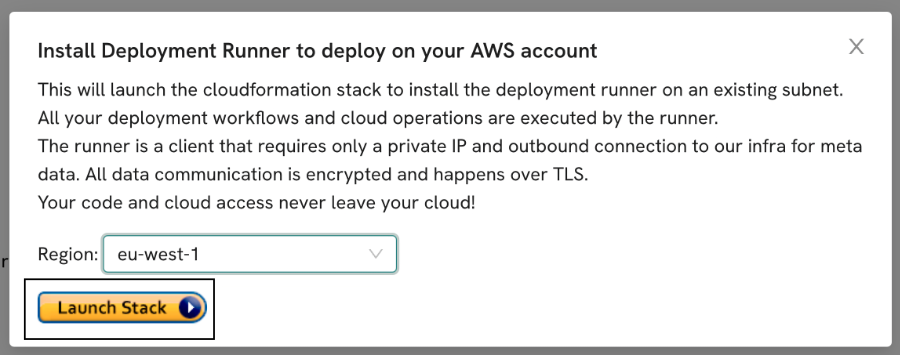
Launch CloudFormation stack
Select the region where you want to install the runner and launch the CloudFormation stack.
-
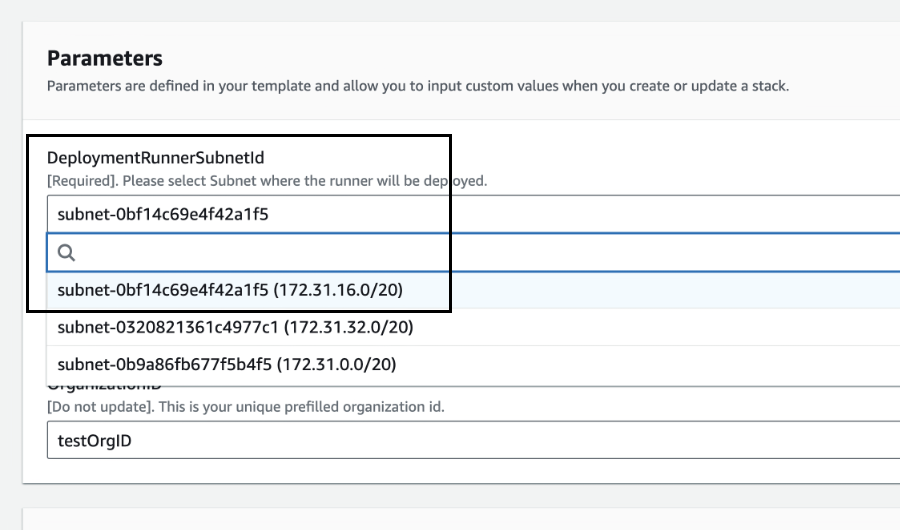
Select the subnet where you want to install the runner
Sign in to your AWS account. On the CloudFormation stack creation page, select the subnet on which you want to install the runner. Then clickCreate stackto start the installation.
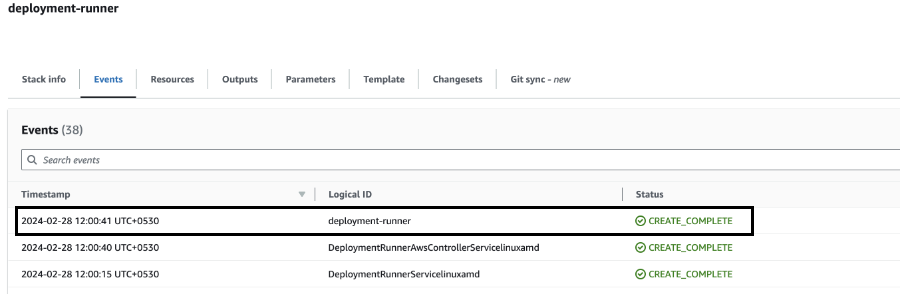
- Check the installation logs
Watch the CloudFormation event logs to confirm the runner installed without errors. We don't have visibility into AWS-side errors during installation, so the AWS console is the source of truth here.
Cost on your AWS bill
- Idle baseline (~$8/mo): the always-on Fargate AWS controller (0.25 vCPU + 0.5 GB) plus negligible CloudWatch logs.
- Active runtime: the EC2 m6a.large adds ~$0.09/hr while a job is running, then scales back to zero. So 1 active hr/day adds ~$3/mo; 8 active hrs/day adds ~$20/mo.
- Tasks impact: Task agent runs are typically longer than deployment jobs (multi-step agent sessions, often 10–30 min). A team running ~20 Tasks/day on top of regular deployments will see EC2 hours accumulate faster.
In practice, most teams land between $10 and $40/month. Heavier Task workloads can push higher — monitor the ECS cluster's compute time in CloudWatch if you want a precise number.
Uninstalling
Delete the CloudFormation stack from the AWS console (or aws cloudformation delete-stack). Every resource the stack created is removed automatically — IAM roles, ECS resources, Auto Scaling Group, Launch Template, Lambda, log groups. Nothing else needs cleanup.
Email us at hello@deployment.io if there's any installation error or you have other questions.